If nothing happens when you attempt to launch a course, your browser’s pop-up blocker may be stopping the window from opening. To override the most common pop-up blockers, please follow these steps, the instructions may vary depending on what version of the browser you are using:
Google Chrome
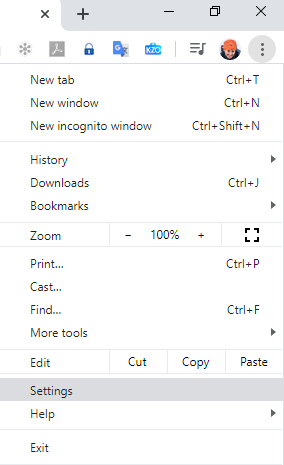
- Click the three dots at the top top right hand corner of the browser and select 'Settings':
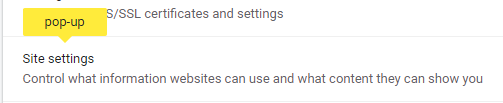
- From the ‘Settings’ tab search for 'pop-up':

- Select the highlighted option 'Site settings':
- Scroll down and select 'Pop-ups and redirects':
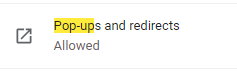
- Ensure Pop-ups and redirects are set to allowed:

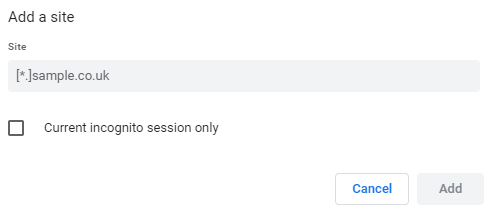
- Leave Pop-ups and redirects set to Blocked and click the 2nd 'Add' button -Allow:

- Enter your LMS to the allowed sites and click 'Add':
Internet Explorer
To turn off the pop-up blocker:
- Click the Cog icon at the top of your browser window and locate ‘Internet Options’:
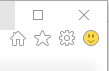
- From the Internet Options window, select the ‘Privacy’ tab and locate ‘Pop-Up Blocker’ check box:

- Please then make sure that ‘Turn on Pop-up Blocker’ is NOT ticked.
If you wish to continue to use the pop-up blocker when viewing other sites, turn off the blocker for the just the e-learning site:
- Select the 'Settings' button, with the check box ticked:

- Enter the site web address into the 'Address of website to allow' text field:
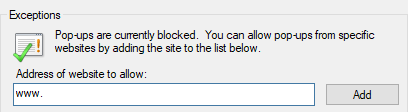
- Click 'Add' and then 'OK' to close the window.
Firefox
To turn off the pop-up blocker:
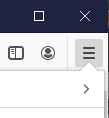
- From the 'Firefox' menu, locate and select 'Options':
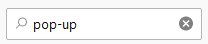
- In the search for 'pop-up' in the box at the top right:
- Un-tick the 'Block popup windows' check box:

If you wish to continue using the pop-up blocker for other sites:
- Leave 'Block popup windows' check box ticked:

- and Select the 'Exceptions' tab:
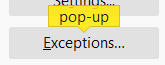
- Enter the site web address into the 'Address of website to allow' text field:

- Click 'Allow' and 'Save changes'.
Safari
For Safari turning the pop-up blocker on or off will affect all websites, not just this one. To turn the feature off:
- Go to the 'Edit' menu, or ‘Preferences’ if you are using an Apple OS.
- If there is a tick next to the 'Block pop-up windows' option pop-up blocking is enabled - click to disable
Was this article helpful?
That’s Great!
Thank you for your feedback
Sorry! We couldn't be helpful
Thank you for your feedback
Feedback sent
We appreciate your effort and will try to fix the article